
See how a week of training works before you pick a lane.
Plan on the web, check in on iPhone and train with Apple Watch. Each finished workout then feeds the next plan.
One workout, four screens.
Each screen handles a different part of the job. The plan and your history stay linked from planning, through the session, to the review afterwards.
About these screens: each one is the current CorrCoach app filled with made-up athlete, workout, health and account data. No customer data is shown.
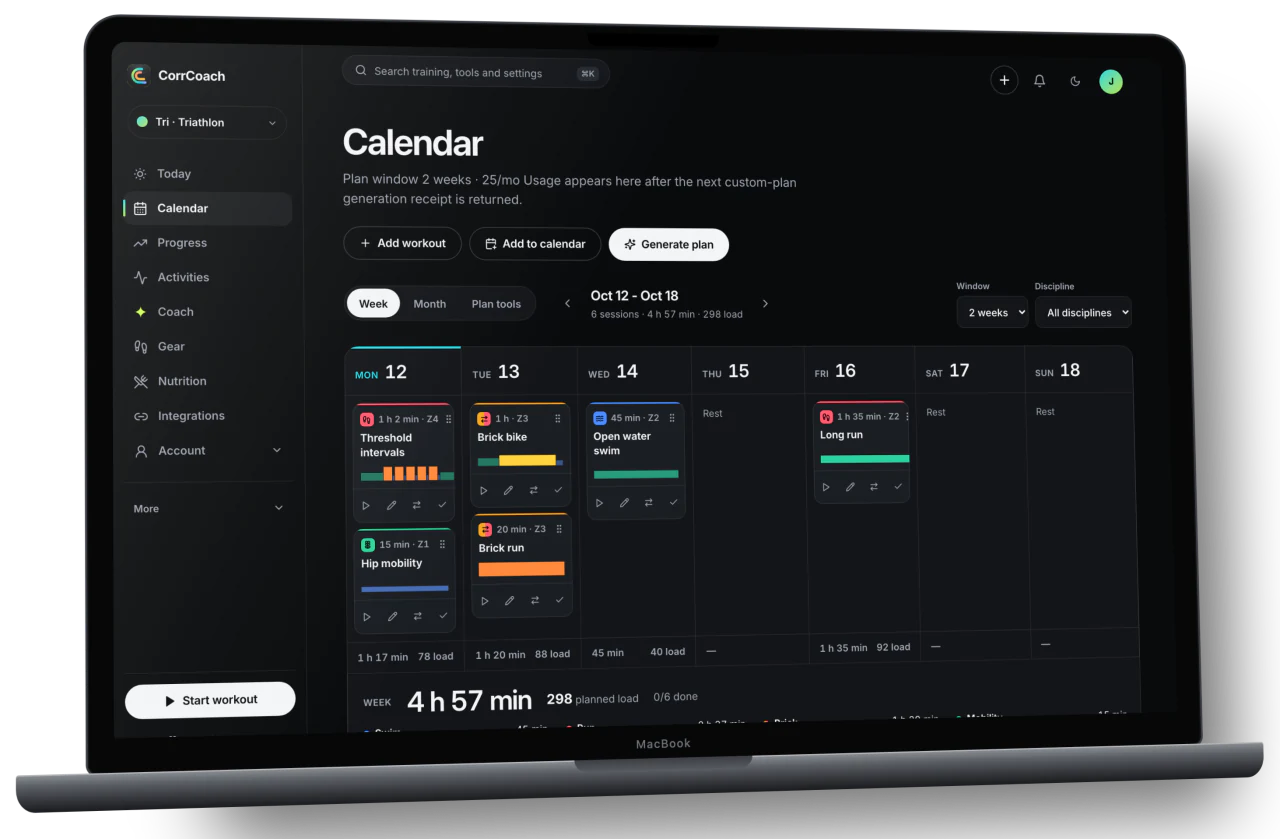
Plan the week on the web.
The planning view puts your lane, schedule, next key session, weekly balance and plan limits on one screen.
Your goals, available days, completed work, limits and any connected data you approve all shape what CorrCoach suggests next.
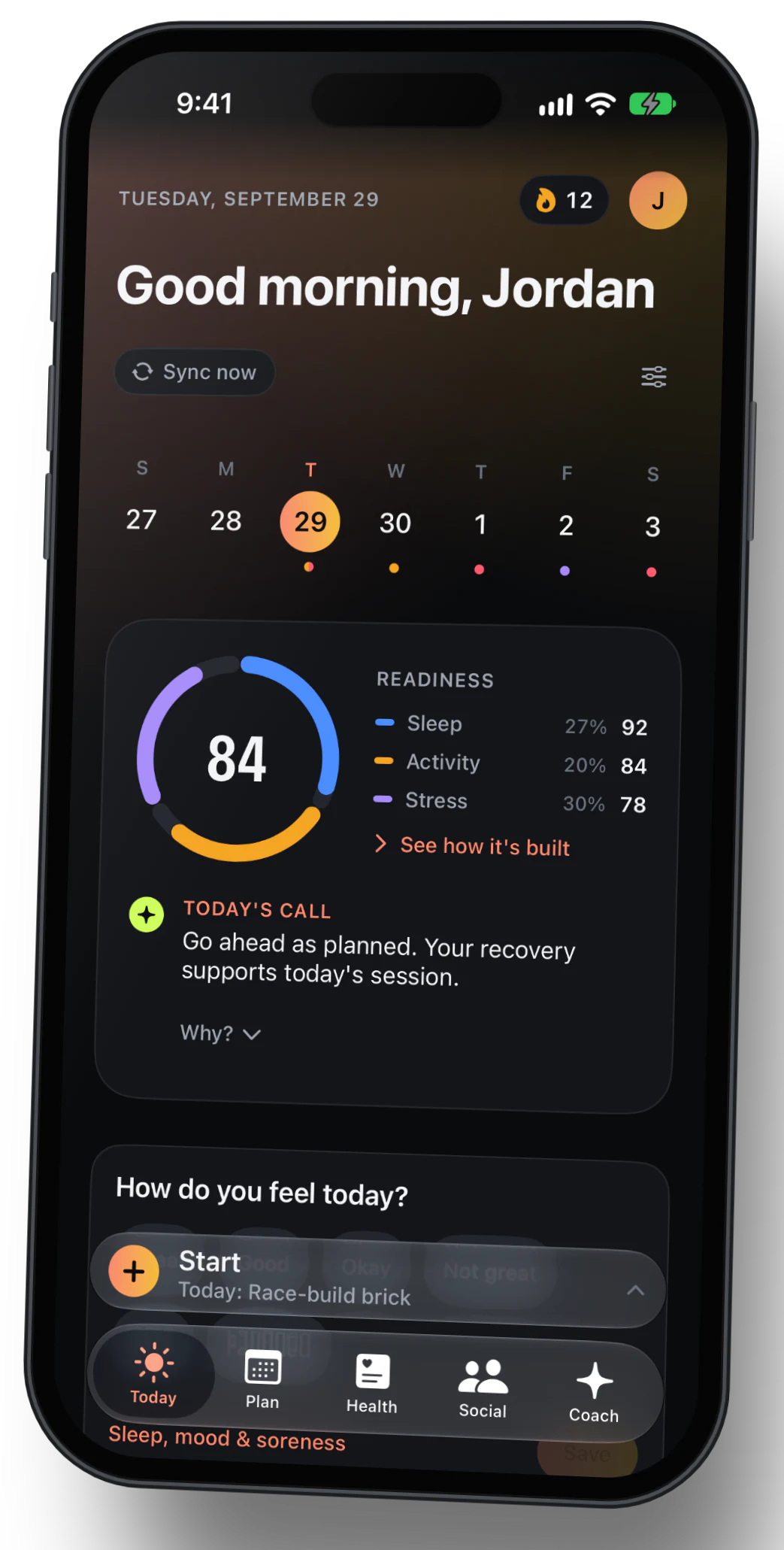
Check the plan on your iPhone.
Today on iPhone shows the session that matters most, your readiness and the week, without rebuilding anything.
You stay in charge. Review the plan, update your details, and approve important changes before they touch your training.
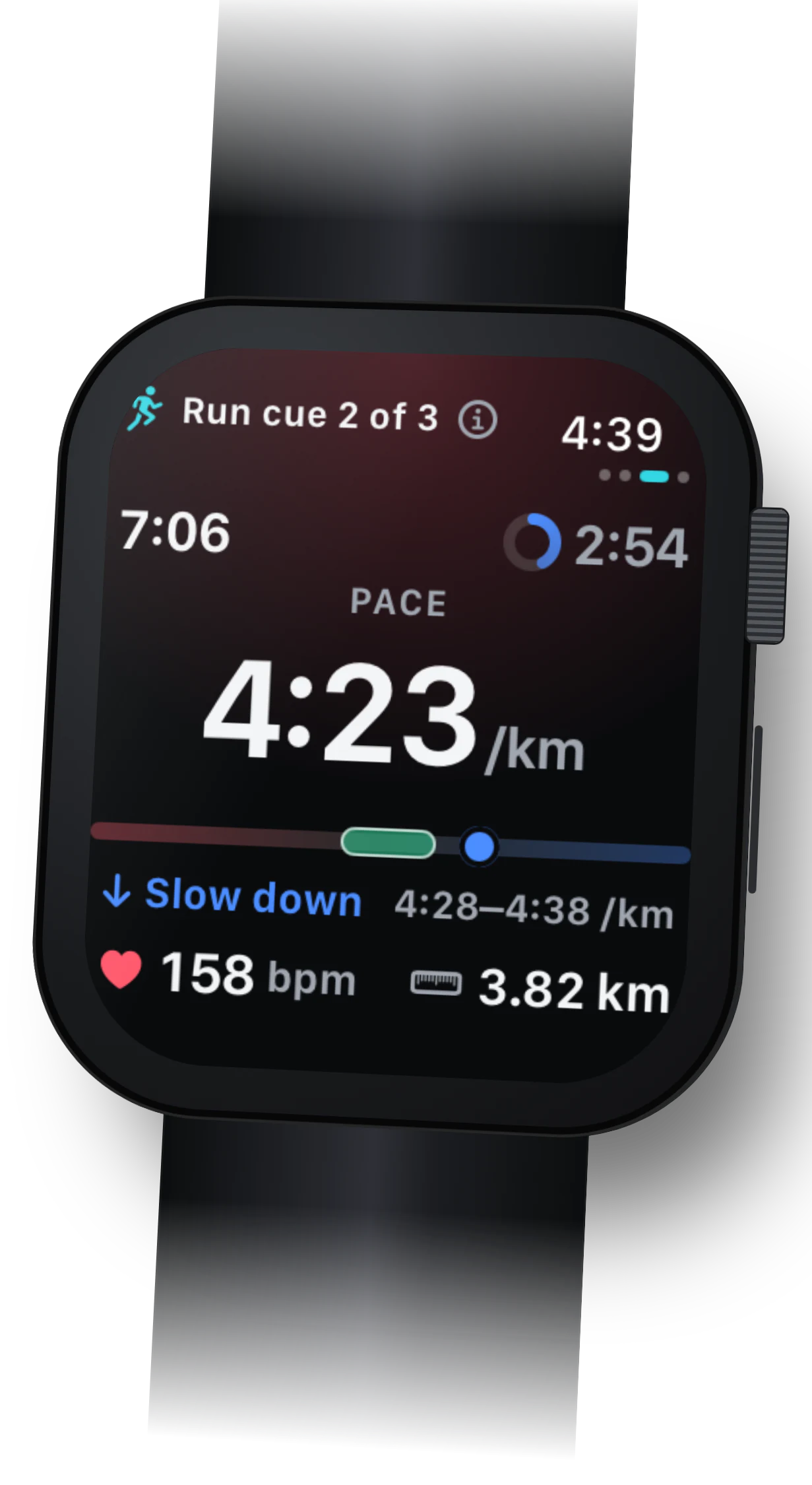
Train with the cue on your wrist.
While the workout runs, Apple Watch shows the current interval, elapsed time, heart rate and the next cue.
Watch availability depends on your device, permissions, plan and release channel. Supported completed workouts come back for review.
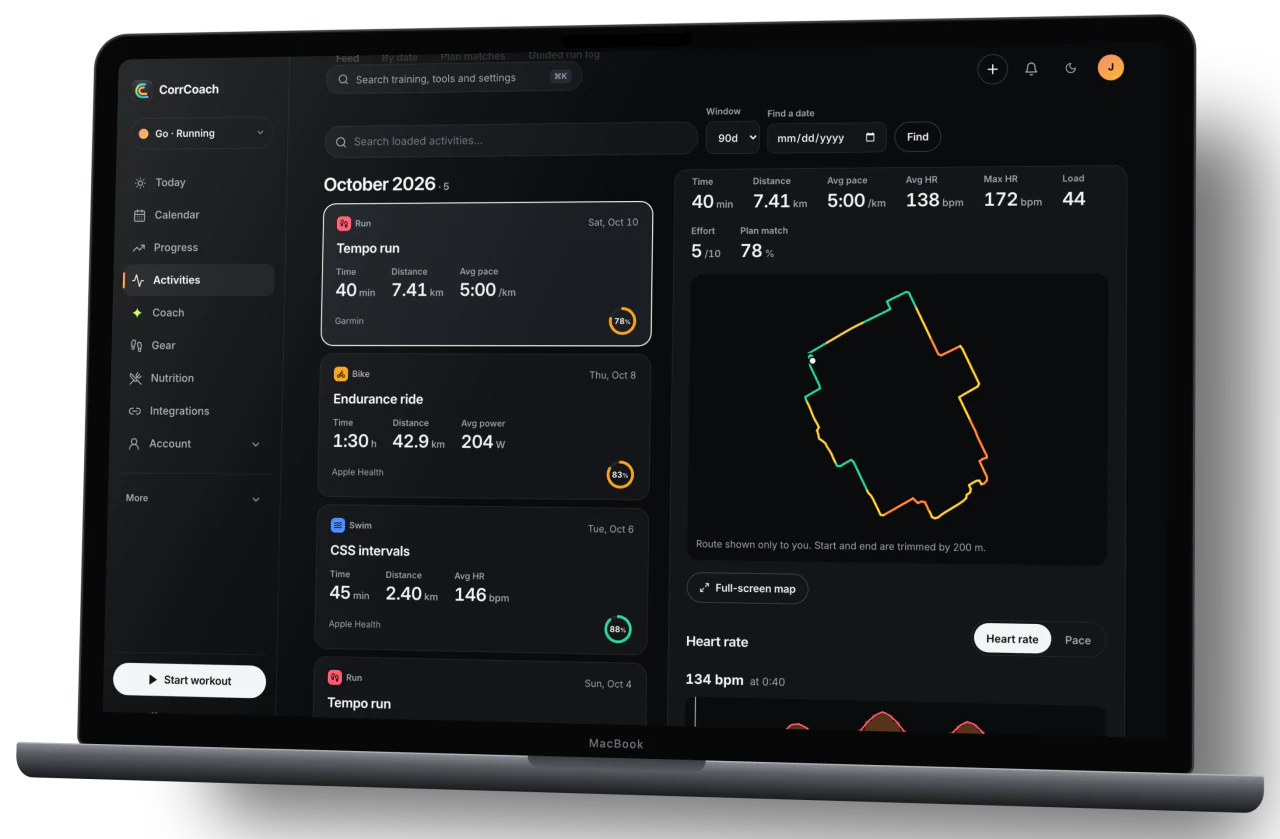
Let finished workouts shape the next plan.
Activities keep each completed workout, its heart-rate data, its route, and how closely it matched the plan.
Where you have granted permission and the samples are usable, that history informs later planning. Private route and health details never appear on public pages.
Start with the lane, then let your data narrow the week.
Tri, Go, Mi and Oli do different jobs. Two people training for the same half marathon still get different weeks once their schedules, history, recovery and equipment are known.
- Goal and lane
- Your race, running, strength, hybrid or season-prep goal decides what the week is for.
- Schedule and constraints
- Available days, session length, equipment, travel, injury notes and preferences keep the plan to what you can actually do.
- Training and recovery data
- Apple Health, Apple Watch, Strava, completion, route, sleep, HRV, pace, power and lifting data you approve can refine later plans when the samples are usable.
- Private AI boundary
- CorrCoach does not send fitness data to OpenAI or Anthropic to train their models. Your plan tier and privacy settings decide which CorrCoach planning path you get.
Need the lane differences before starting? Compare Tri, Go, Mi, and Oli with plan and device details.